How to make the middle finger dunk AI video
Start with my photoThere are three ways to make the middle finger dunk AI video, the night-court clip where you dunk on a defender and flip off the camera: use a CapCut template, write a prompt for an AI video tool, or add your photos here. This guide walks through the photo way step by step, including which photo goes in which role, then covers posting it and what to change when a player looks off.
- You need: one photo, or two
- You get: 9 seconds, 9:16, 720p
- Price: from $9.90 for one video, no subscription
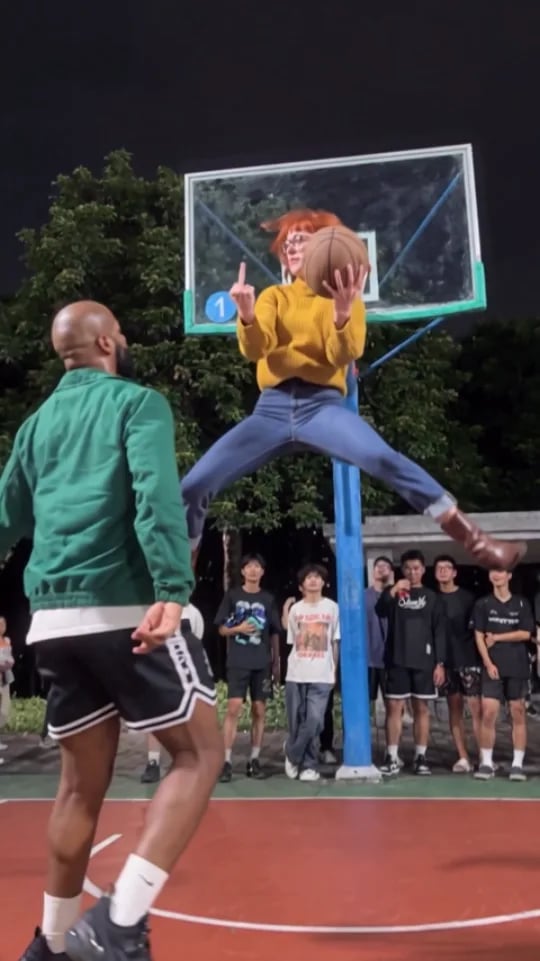
Three ways to make the middle finger dunk AI video
Pick by what you have: the CapCut app, time to write and retry prompts, or a photo or two.
| A CapCut templateIn the CapCut app | Write an AI promptIn an AI video toolGet the prompt | Photos hereNo app, no promptUse my photos | |
|---|---|---|---|
| What you need | The CapCut app and a template link that still works | Photos, a long prompt and a few tries | One clear photo, or two |
| What comes back | Whatever that template is set up to make | A new court and new moves on every try | The same night-court clip with you in it |
| The defender | Depends on the template | Whoever your prompt describes | Your friend from a second photo, or the original player |
| What can go wrong | Templates get taken down or stop working | When we tested a prompt in Wan 3.0: no finger on the dunk, a stray second ball | A face that looks off if the photo is unclear |
Which photo goes where: the dunker and the defender
Each player takes the face, hair and top from their own photo, so pick the photos with that in mind.
- The dunker
- Your photo
- This person does the drive, the one-hand dunk and both middle fingers. Fill this card first; it is the only one you need.
- The defender
- A friend's photo, or none
- With a second photo, your friend is the one who backs up, jumps under the hoop and gets dunked on. Leave it empty and the original defender in the black long-sleeve stays.
- Each photo
- One person, face visible
- Face toward the camera, even light, no sunglasses, mask or second person. Trousers and shoes a waist-up photo does not show can stay as the original player's; a full-body photo shows the whole outfit.
- Who can be in it
- You, or adults who said yes
- No celebrities, NBA players or anyone under 18. The tick box before Generate video confirms it.
Three steps from your photos to a middle finger dunk
One or two photos, one button.
- 1
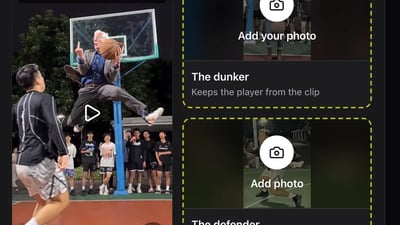
Pick the photos
Choose one photo for the dunker, and a second for the defender if a friend is playing. One person per photo, face toward the camera.
- 2
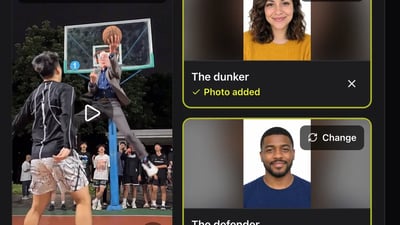
Drop them into the role cards
Put the dunker's photo in The dunker card and your friend's in The defender card. Tick the box that confirms everyone in the photos agreed, then press Generate video.
- 3
Download it from My videos
You can close the tab meanwhile. The finished clip shows up under My videos in the generator and stays there for 30 days. Download the MP4 or copy a share link.
Put yourself on the night court
Add a photo to The dunker, and to The defender if a friend is playing.
Who plays who
Add at least 1 photo
See the first 2 seconds free. The full video is 600 credits.
One person per photo, face clearly visible. JPG, PNG or WebP up to 10 MB.
- No app
- No watermark
- Credits back if a video fails
Post your middle finger dunk video on TikTok and Reels
The clip already fills a phone screen. These are the details that make it land.
- 1
Say who's who and tag them
"Me dunking on @friend" lands better than a bare hashtag, and tagging the defender is where the replies come from. Add a tag like #middlefingerdunk so it sits with the other versions.
- 2
Adding a TikTok sound
If you pick a sound from TikTok's library, turn the clip's own volume down in the editor so the two don't clash.
- 3
Label it as AI
Switch on TikTok's AI-generated content label in the post settings. Instagram has its own AI label when you upload.
- 4
Pick the audience
There is a middle finger in it twice. Send it to the friends who will laugh, not the family group chat.
Fixing your middle finger dunk AI video
Nearly every problem traces back to a photo. Change one thing per try; each new try costs the same as a new video.
The dunker does not look like you
- Try this next
- Use a sharper photo, facing the camera, in even light, with nothing covering the face
- Keep as is
- The defender's photo
Your friend is dunking and you are defending
- Try this next
- The photo in The dunker card dunks and the one in The defender card gets dunked on. Put each photo in the other card and generate again
- Keep as is
- The photos themselves
The defender is still the original player
- Try this next
- Expected with one photo. Add a photo to The defender card to put a friend in
- Keep as is
- The dunker's photo
The trousers or shoes are not yours
- Try this next
- Expected with a waist-up photo: the top comes from your photo, and parts it does not show can stay as the original player's. Try a full-body photo
- Keep as is
- The face, if it looks right
The video did not finish
- Try this next
- Press Generate video again; the credits for a failed video come back on their own
- Keep as is
- Your photos
Making the middle finger dunk AI video: questions
Yes. Put it in The dunker card and the original defender stays. Add a second photo to put a friend in as the defender; the price is the same.
Yes. The photo in The dunker card dunks, the one in The defender card gets dunked on. Move each photo to the other card to trade roles.
A CapCut template spread around 23 October 2026, but template links can stop working. Here you don't need the app: add your photos in the browser.
You can try it: new accounts get one free 2-second preview with their own photos, no card needed. Full videos start at $9.90 for one, from a one-time pack with no subscription, and the credits for a failed video come back automatically.
No. It comes out vertical 9:16, the shape TikTok, Reels and Shorts use, so it fills the phone screen.
No. The court, the moves and the timing come from the clip. If you would rather use another AI video tool, the middle finger dunk AI prompt guide has a prompt to copy.
More middle finger dunk guides
What is the middle finger dunk trend?
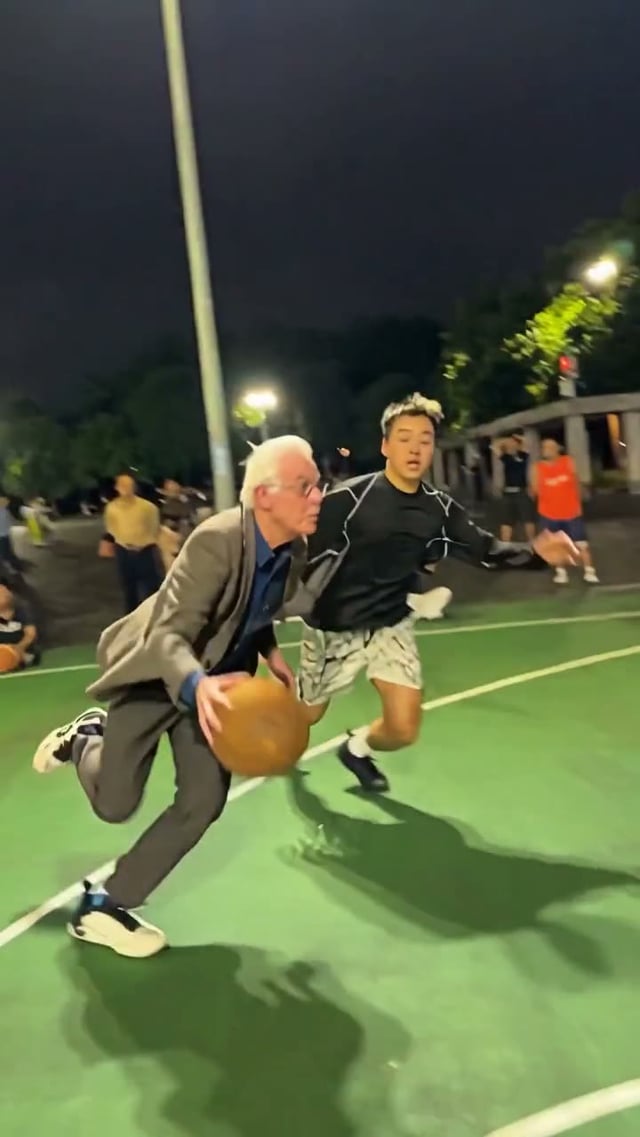
The middle finger dunk trend is a short vertical phone clip from an outdoor basketball court at night. A player dribbles past a defender, dunks with one hand while the other hand flips the middle finger, then lands and flips off the camera as the crowd on the sideline reacts. In the AI versions that spread in late October 2026, the dunker, and sometimes the defender, are people from uploaded photos.
Middle finger dunk AI prompt
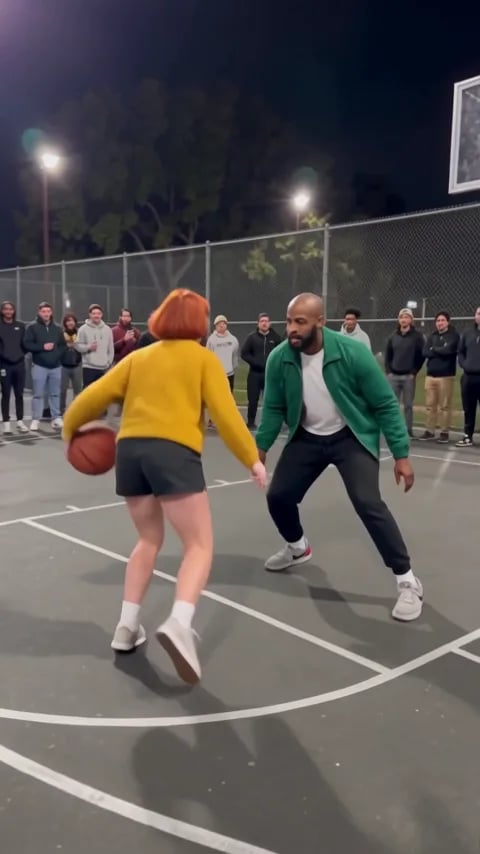
Copy the middle finger dunk AI prompt below into an image-to-video tool that takes reference photos. We ran it once in Wan 3.0 with two photos, so you can see what it got right, what it missed and what to change. Rather not write a prompt? Make it here from one or two photos; the court, the crowd and the moves come from the trend's own clip.
Middle finger dunk AI free: preview the dunk first
Add a photo and watch a free 2-second preview of you in the air at the rim, dunking with one hand and flipping the middle finger with the other. No credit card. If you like it, make the full 9-second video with the same photos.
Ready to throw it down?
Add a photo, or two, and press Generate video.